Ergonomic MOBA/MMO Hotbar Layout
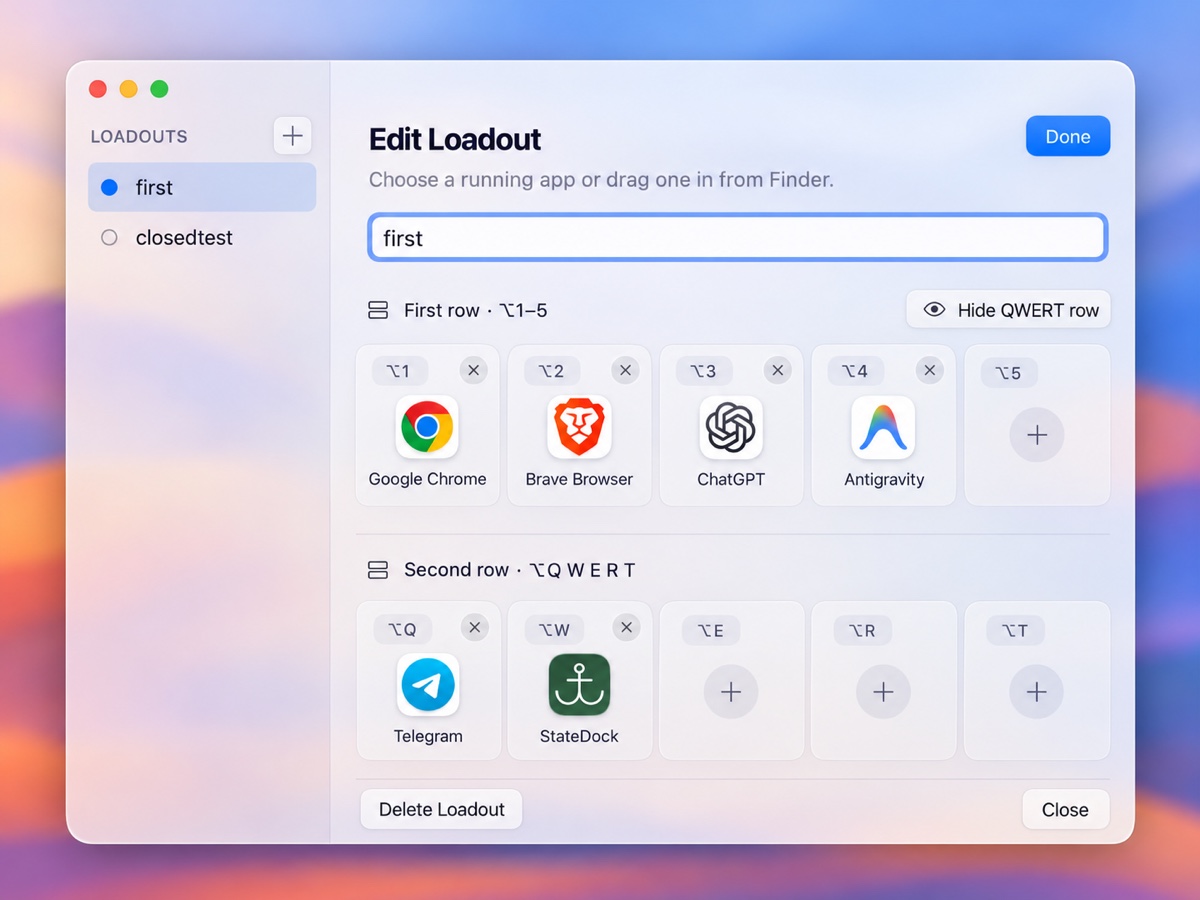
Directly mirrors the most ergonomic hand placement on ANSI & ISO keyboards. Switch presets with ⌥1–5, and cast your five most important tools with ⌥Q, ⌥W, ⌥E, ⌥R, ⌥T. Your hands never leave the home position.
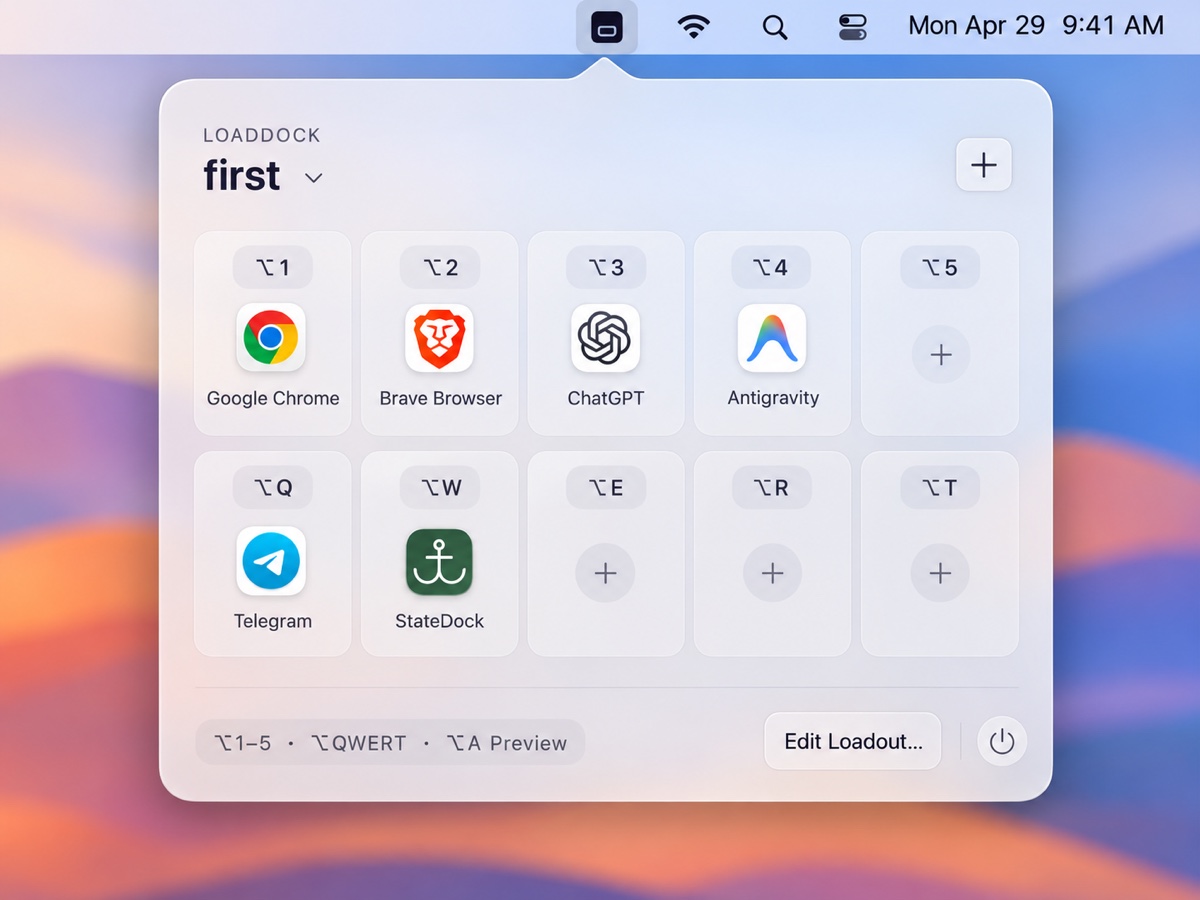
Stop digging through crowded docks or typing in launchers. Switch dedicated configurations with ⌥1–5, cast apps instantly with ⌥QWERT, and summon the translucent liquid glass Peek HUD with ⌥A.
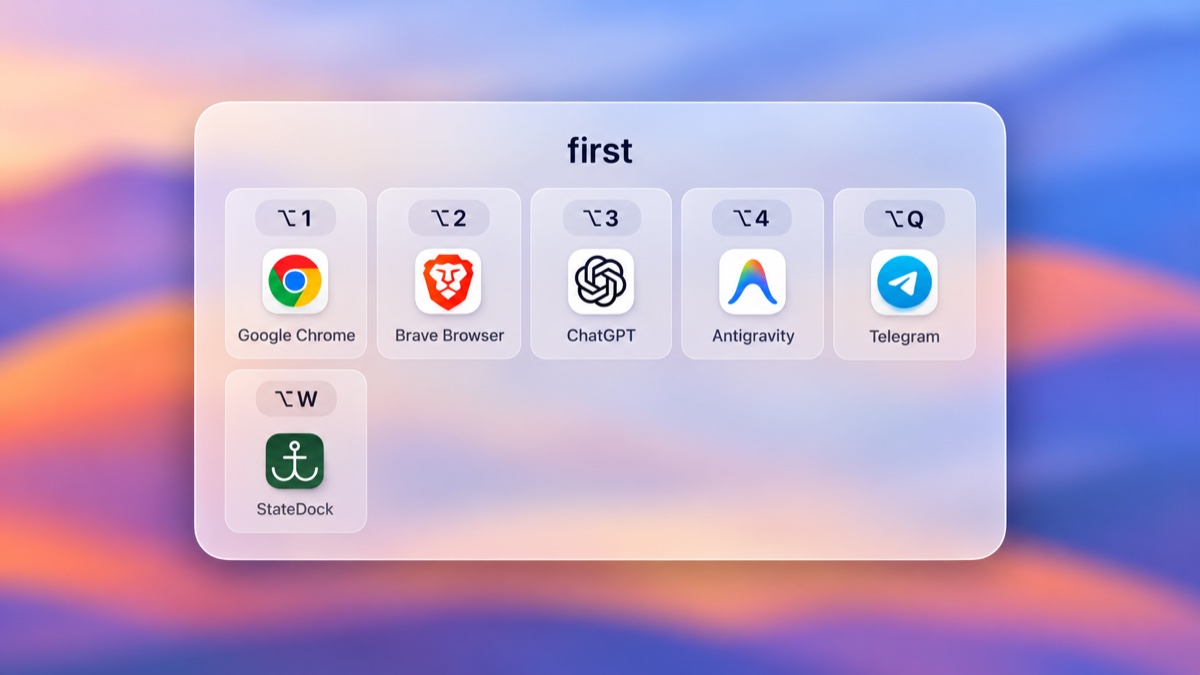
 LoadDock · Peek HUD (⌥A)
No bloated background processes. No learning curves. LoadDock maps muscle memory directly to your fingers, giving you game-like instant reflexes for everyday productivity.
Directly mirrors the most ergonomic hand placement on ANSI & ISO keyboards. Switch presets with ⌥1–5, and cast your five most important tools with ⌥Q, ⌥W, ⌥E, ⌥R, ⌥T. Your hands never leave the home position.
Forgot which app is in slot 4? Tap ⌥A to summon a gorgeous liquid frosted-glass heads-up display. It vanishes automatically in seconds without stealing window focus.
Your workflow is your private sanctuary. LoadDock requires zero network permissions, makes zero external pings, and embeds zero analytics SDKs. Everything is stored strictly in your local Application Support folder.
Built 100% in native Swift and AppKit. No Chromium runtime, no 300MB Electron memory leaks. Launches in 10ms, consumes less than 5MB on disk, and runs at 0.0% idle CPU with zero battery impact.
Left-click to reveal the quick action tray and active slot indicators. Right-click directly opens the native context menu for instant Settings, About, and quit controls without visual clutter.
Switch from deep backend programming to video editing or casual browsing in 0.1 seconds.
Keep your code, container stack, database viewer, and git branches right under your left hand without ALT-TAB cycling through dozens of open browser tabs.
Fluid transitions between vector design, screen capture annotation, color inspection, and 3D rendering.
Eliminate mental friction. Access your second brain, daily task planner, and translation dictionary with zero keystroke delay.
Comparing LoadDock with traditional macOS Docks and heavy subscription launchers.
| Feature / Metric | ⚡️ LoadDock | Standard macOS Dock | Complex Launcher Suites |
|---|---|---|---|
| Pricing Model | ✓ $1.99 One-Time Buy | Free (Built-in) | ✗ $39 - $99 / Year |
| Action Hotbars (⌥1–5, ⌥QWERT) | ✓ Instant Physical Muscle Memory | ✗ None (Mouse Click Only) | ✗ Requires Multi-key Search |
| Instant Loadout Switching | ✓ Up to 5 Dedicated Profiles | ✗ Static Single Bar | ✗ Complex manual setup |
| Translucent Peek HUD | ✓ Non-disruptive ⌥A Overlay | ✗ None | ✗ Heavy Full-Screen UI |
| Offline & Privacy Guarantee | ✓ 100% Offline (Zero Network) | ✓ Local | ✗ Cloud Telemetry & Tracking |
| Memory & Binary Size | ✓ < 5MB Swift Native | System Default | ✗ 200MB - 600MB RAM |
No $4.99 monthly recurring subscriptions. No account registrations. Just $1.99 to supercharge your Mac workflow for life.
Pay once. Use on all your Macs with your Apple ID.
Everything you need to know about LoadDock.
LoadDock is built specifically for macOS 14.0 (Sonoma) and macOS 15.0+ (Sequoia). It is compiled as a Universal Binary, natively supporting both Apple Silicon (M1, M2, M3, M4) and Intel-based Macs with zero translation overhead.
Yes! In the LoadDock Settings panel, you can choose between ⌥ Option, ⌃⌥ Control+Option, or ⌘⌥ Command+Option to seamlessly avoid any conflicting system shortcuts.
macOS requires Accessibility permissions for global Carbon hotkeys to listen to global shortcut triggers even when another application is in focus. LoadDock never logs your keystrokes, never stores passwords, and operates 100% offline.
Tapping ⌥A summons a lightweight translucent HUD panel right on your active display. It presents all 10 slots and their associated shortcuts. The HUD automatically dismisses after 3 seconds or on the next keypress, so your creative concentration is never broken.
Absolutely. Because LoadDock is distributed through the Mac App Store, a single purchase allows you to install and restore it on all Macs linked to your Apple ID.